BUILT FOR TEAMS ACROSS SITES

Attendance
you can verify.
All shift long.

From punch-in to punch-out. Know who’s really at work with site, face and phone checks that keep attendance accountable.
Android app + web dashboardMade for multi-site teams
Right person. Right place.Every punch, checked.
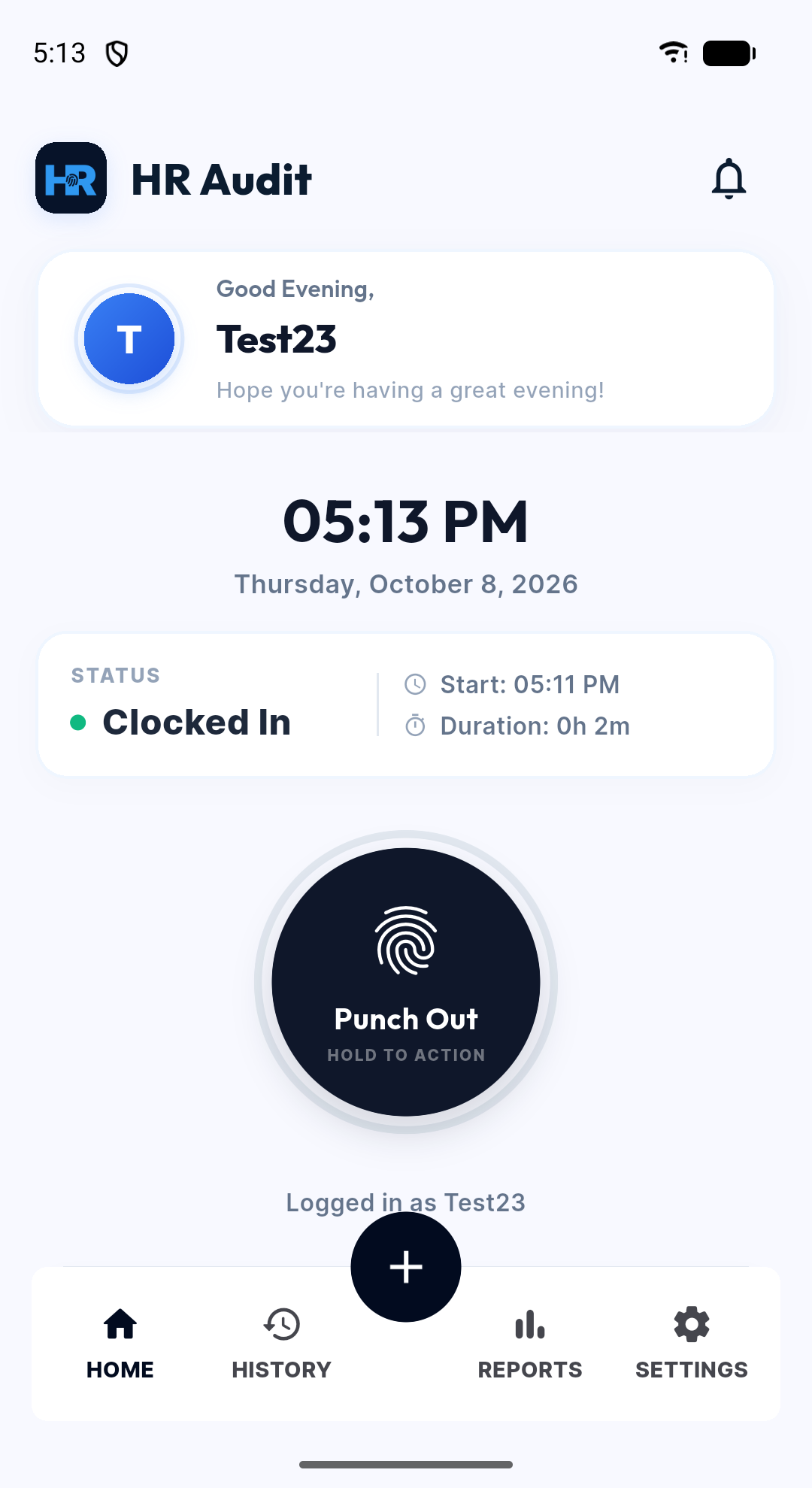
Actual HR Audit Android app showing the Test23 account clocked in
SITE STATUSInside authorized location
Actual app · test environment
THE RIGHT CHECKS. AT EVERY STEP.Explore the difference
Your sites. Your boundaries.Location checked on the server
A face, not just a name.Server-side face matching
One person. One phone.Registered device verification
A shift that closes itself.Automatic shift-end clock-out

Attendance shouldn’t
leave you guessing.

When teams work across locations, a punch alone
doesn’t tell the whole story.

01

“Was it really them?”

A colleague punches in for someone who isn’t there.

Face match + a registered phone
02

“Are they even on site?”

A check-in from home looks like a check-in from work.

Punches within approved sites
03

“Who forgot to clock out?”

Open sessions run into the night and inflate hours.

Automatic clock-out + safety nets
04

“Who’s there right now?”

You call three people to get one straight answer.

One live monitoring board

More than a punch.
A clearer picture.

Four connected parts. One reliable attendance flow.
Less guesswork for everyone.

RIGHT PERSON. RIGHT PLACE.

A punch-in you can stand behind.

Connect every punch to an approved site, an enrolled face and a registered phone. Give your team a clear start. Give HR a record they can check.
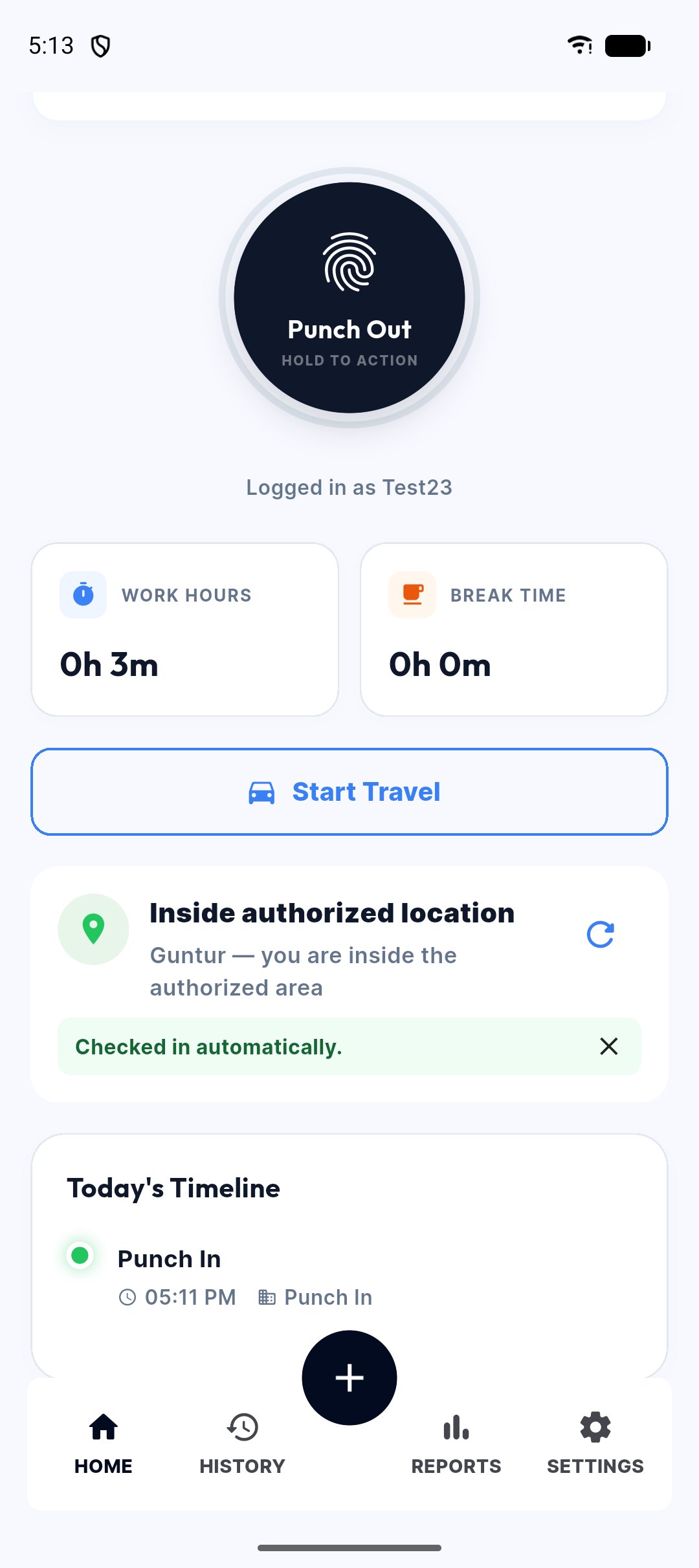
Inside your siteSite boundaries checked again on the server.
A familiar faceFace matching against the enrolled photo, when enabled.
Their own phoneOne registered device, reset by HR when needed.
A record to refer toLocation, GPS accuracy and distance kept with the punch.
See it in your demo
HR Audit Android app showing the authorized location and automatic check-inActual product screen · test environment
VISIBILITY THROUGHOUT THE DAY.

Know who is on site. As it happens.

One live board brings the shift into focus. See attendance exceptions, check identity during the day and let automatic clock-out close open sessions.
Automatic check-in and outArrive, stay for a minute, and check in when automatic mode is enabled.
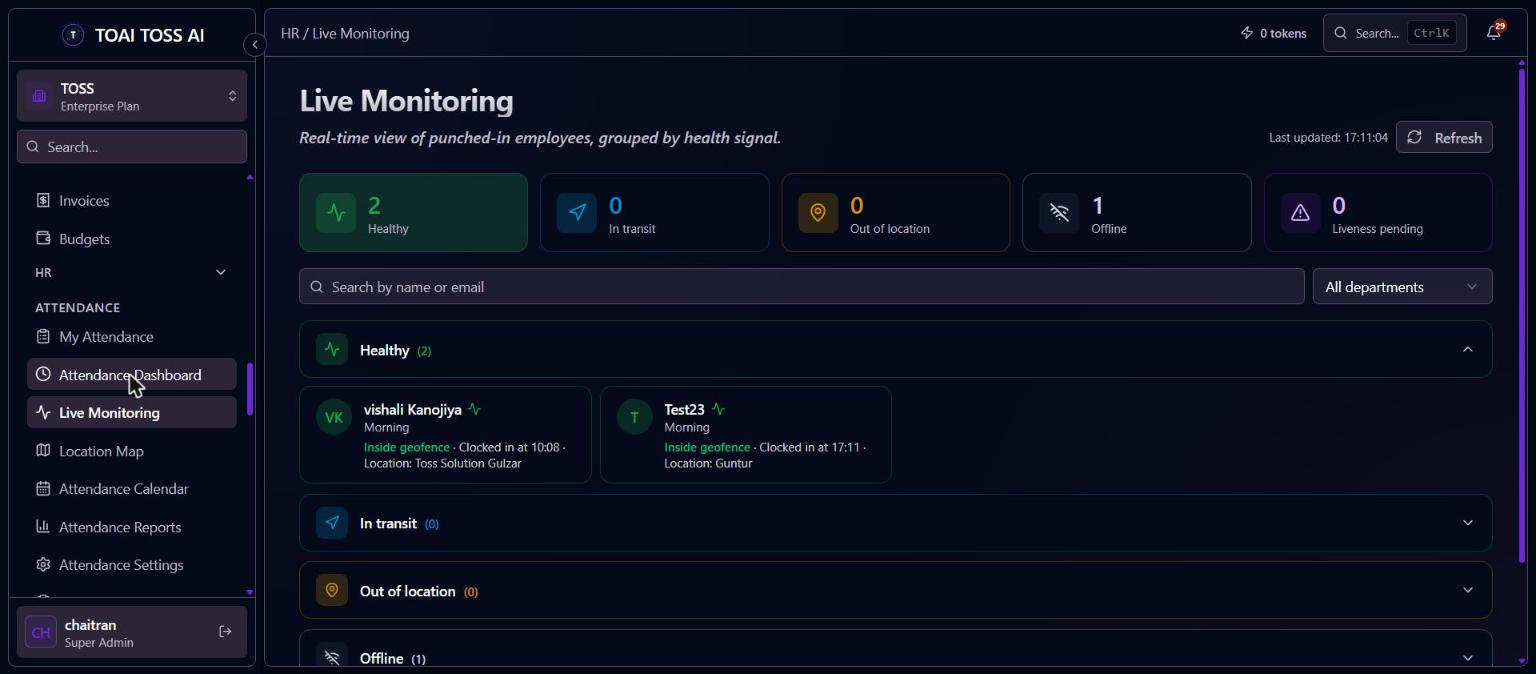
Live monitoringAt site, travelling, outside or offline: see the difference.
Identity checksRandom checks in your chosen window, with reminders.
A server safety netOpen sessions close at shift end, with the reason recorded.
See it in your demo
Actual HR Audit live monitoring dashboard in the test environmentActual product screen · test environment
LESS BACK-AND-FORTH.

Every request, in the right hands.

Bring leave balances, comp-off and attendance corrections into an approval flow. Your policies set the rules; your managers make the decisions.
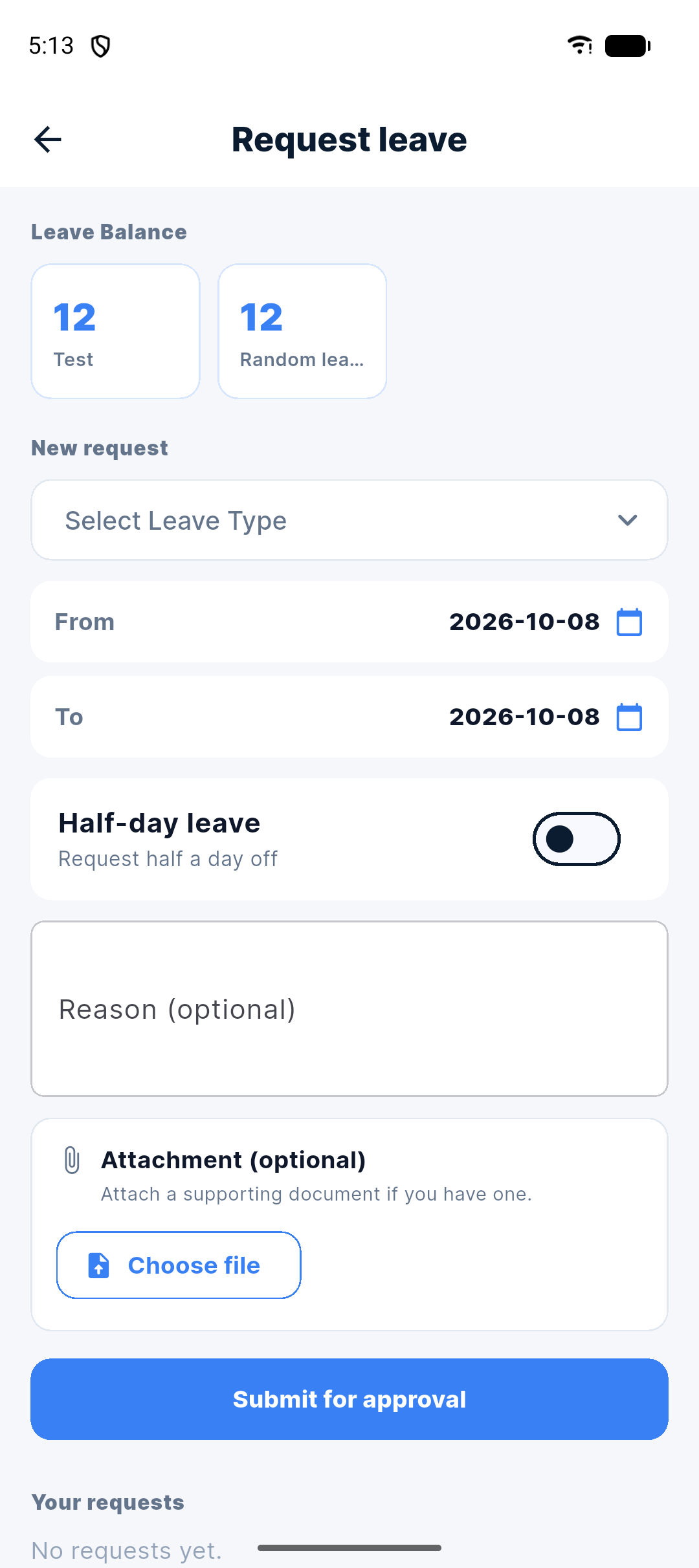
Leave with your rulesAccrual, carry-forward and half days, configured once.
Comp-off, accounted forEarned, used and expired on schedule.
Approved correctionsRequest a missed-punch correction through the web portal.
Time off respectedHolidays, weekly offs and approved leave stay in sync.
See it in your demo
HR Audit Android leave request screen with leave balancesActual product screen · test environment
A CLEARER MONTH-END.

From daily records to ready reports.

See attendance at a glance, review a date range and hand your payroll team a CSV. Bring your people and existing biometric logs along.
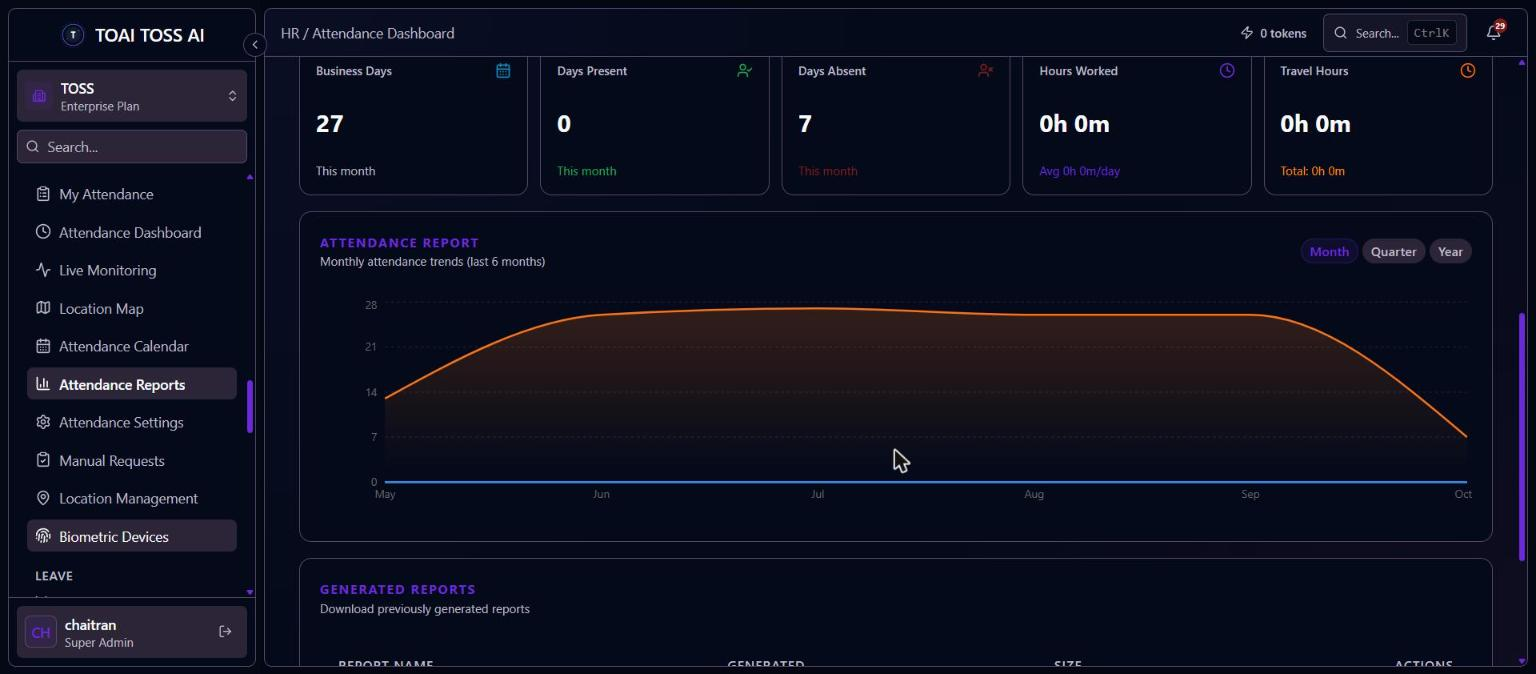
The daily picturePresent, late, absent and on leave in one dashboard.
CSV exportPreview and download reports for your payroll team.
Biometric reconciliationImport machine logs and compare them with app attendance.
Bring your teamSpreadsheet imports checked row by row before saving.
See it in your demo
Actual HR Audit attendance reports dashboard in the test environmentActual product screen · test environment

A better day starts
with a simple flow.

Book a demo
01

Set your boundaries.

Add a site, set its radius and assign your people.

02

Make every punch count.

Verify location, face and phone as employees check in.

03

Keep the shift in sight.

See live status, identity checks and automatic clock-outs.

04

Close with clarity.

Approve requests and download attendance as CSV.

Face checks and automatic check-in follow your configured settings.

Simple for your team.
Clear for your HR.

A confident start for employees. A live view for the people managing them.

HR Audit / Live monitoringPRODUCT PREVIEW
See exceptions, not just attendance.Actual product · test data shown
HR Audit / My attendancePRODUCT PREVIEW
A familiar, straightforward daily check-in.Actual product · test data shown

Different sites.
The same confidence.

Built for the people keeping
distributed teams moving.

01 / MULTI-SITE OPERATIONS

One team. Many locations.

Security, facility management and retail teams spread across sites.

02 / FIELD & ON-SITE TEAMS

Work doesn’t sit still.

Service, sales and site staff working at approved client locations.

03 / EXISTING BIOMETRIC SETUPS

Keep what works.

Import machine logs and compare them with app attendance.

Your team’s data.
Handled with care.

Clear controls. Defined access.
A record you can come back to.

Protected where it matters

Punch and site locations, device details and face photos are stored encrypted.

Consent comes first

Employees see how location is used and agree before background location starts.

Access follows the role

Employees see their records. HR and admins manage the company.

Actions leave a trail

Automatic clock-outs and identity checks keep a record of their reason.

A little clarity
before you start.

Have something else on your mind?

Let’s talk
Which phones does HR Audit support?

HR Audit is available for Android phones. iPhone availability is not confirmed. HR teams use the web dashboard to manage attendance and reports.

Does HR Audit handle payroll?

No. HR Audit gives your payroll team verified attendance records as a CSV export. It does not calculate salaries, generate payslips or handle statutory filing.

Can we keep our biometric machines?

Yes. Import log files from your biometric machines and reconcile them with app attendance. A live connection to a machine may require custom integration.

What happens when the internet drops?

Punches are saved on the phone and sent in order when the connection returns, without duplicates. Live monitoring needs connectivity to receive fresh updates.

What if GPS is inaccurate indoors?

Inaccurate readings are ignored for automatic decisions, and grace periods absorb short location drifts. The app also guides employees through checking their location settings. HR Audit does not currently detect mock or fake GPS.

Will location tracking use more battery?

Location is used during working hours, so battery use is higher than with an app that only checks at punch time. Tracking stops when the shift ends.

What happens when an employee changes phones?

HR resets the registered device so the employee can use their new phone. Each employee has one registered phone for attendance.

Can employees control automatic check-in?

Yes. Employees see the location consent information before background location starts and can turn automatic check-in off in Settings.

Which data is encrypted?

Punch and site coordinates, device details and face photos are stored encrypted. This is not a claim that all product data is encrypted or that HR Audit holds a security certification.

Your sites.
Your team.
A clearer workday.

See HR Audit around the way you work. We’ll walk through a verified punch-in, the live board and a month-end report.

  • A walkthrough for your team and sites
  • Room for your questions
  • A clear look at what the product does
info@tosssolutions.com

See it for yourself.

Tell us a little about your team.

Opens your email app with these details. Review and send to request your demo.

Actual product screen · test environment